
What is OFL VBP?
OFL VBP is a multi-purpose volume profile study designed to streamline rotational (leg-to-leg) profiles, standard session profiles, time-anchored profiles (weekly, monthly, quarterly opens), rolling lookback profiles and study-subgraph anchored profiles. Display can be switched between standard volume and delta on the fly. It is engineered to enhance — not replace — Sierra's built-in VbP, focusing on use cases the inbox version does not cover.
Who it's for
- OFL users who run multiple volume profile configurations across different timeframes
- Auction-theory traders combining rotational, balance and session profiles in one workspace
- Order flow traders anchoring profiles to event subgraphs (Dominator, EAD, Delta Flips, Pinch)
- Delta-focused traders who want a threshold-aware delta profile
- Traders who want to overlay a profile from one chart onto another for higher-timeframe context
How OFL VBP works
OFL VBP exposes a primary Calculation Method input that selects the anchoring logic. Each method ties to a secondary set of inputs — get the primary right first, then configure the secondary input that controls the anchor. Below is one section per supported mode.
Rotation mode
Rotation mode anchors the profile to the most recent qualifying rotation. Input 5 sets the rotation amount in points: with a 30-point rotation value, the profile anchors to the last 30-point swing and continues drawing until a counter-rotation of 30 points or more prints, at which point it re-anchors to the new swing. The Swing Mode input (Input 15) controls how many rotations back to draw from — 1 anchors to the most recent swing, 2 anchors two swings back, and so on.
Balance Areas mode
Balance Areas mode anchors the profile to the start of the current Autoplot balance area. The profile continues drawing until a new balance area is established, at which point it re-anchors. This is the cleanest way to read where volume is accumulating inside the active balance.
Time Based mode
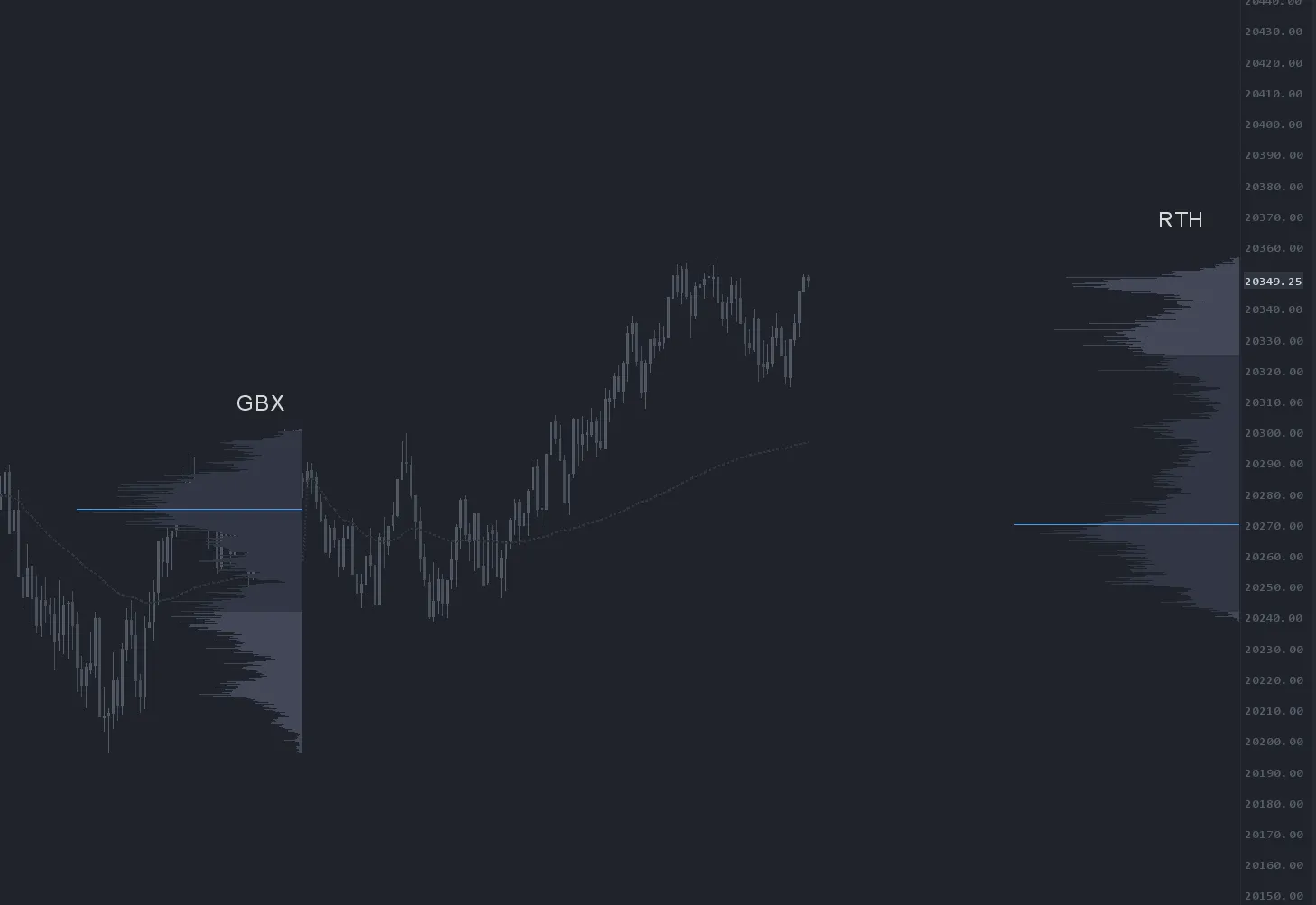
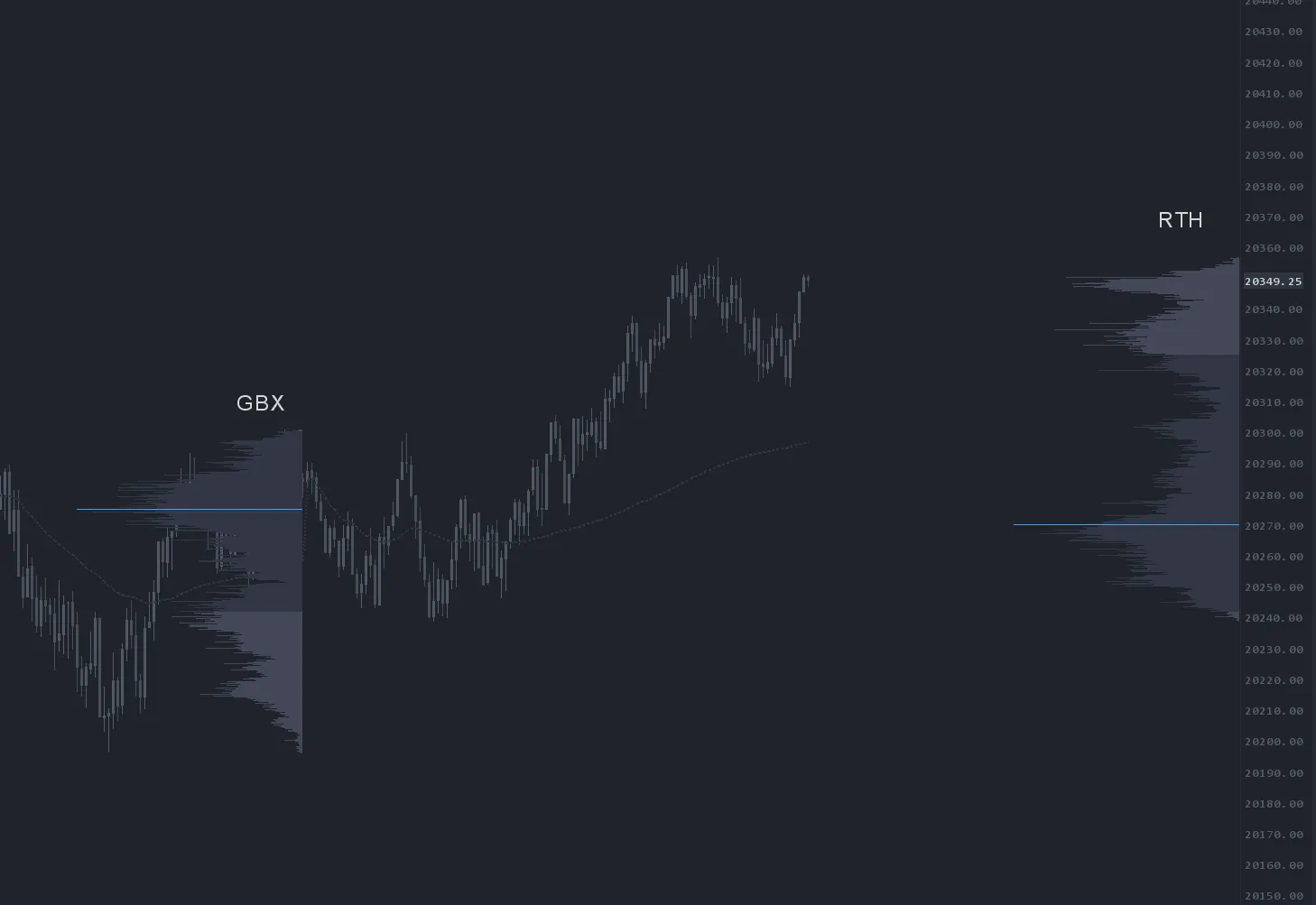
Time Based mode draws profiles bound to exact session timeframes — Globex, RTH, RTH + Globex (split profile based on the active session), Weekly, Monthly and Quarterly. These are auto-calculated by the study. With Calculation Method set to Time Based, configure Input 32 to choose your session anchor.
Rolling Lookback mode
Rolling Lookback mode draws a profile across a rolling window measured in trading days. A value of 5 produces a rolling 5-day profile that updates as the window advances. Useful for swing-trading context that does not align cleanly to weekly or monthly anchors.
Subgraph mode
Subgraph mode anchors the profile to the last print of a mapped study subgraph. Map Inputs 8 and 9 to the subgraph(s) you want to anchor to — for a single subgraph anchor like Dominator Up, map both inputs to the Dominator buy SG. The same mapping pattern works for EAD, Delta Flips, Job Pinch and any compatible signal subgraph. The profile re-anchors automatically on the next subgraph print.
OFL VBP overlay mode
Overlay mode treats the volume profile like a study price overlay — drawing a profile sourced from one chart on top of another chart. It is useful for placing a higher-timeframe profile on a lower-timeframe execution chart for instant context. Specific overlay use cases are covered in the OFL education videos.
Display, drawing and delta features
OFL VBP includes a deep set of presentation controls so each profile reads cleanly on a busy chart:
- VbP Display Mode — volume or delta
- VbP Ticks Per Bar — compress profile resolution (commonly 6–10 ticks per bar on NQ)
- VbP Show Volume — render volume or delta volume as text inside each bar
- VbP Threshold — color delta bars below a threshold a separate color (e.g. delta volume below 50 rendered neutral while above-threshold bars stay red/blue) — a feature not available in Sierra's built-in VbP
- VbP Scale to Visible Bars — auto-adjust profile width based on visible bars
- VbP Position Offset — pixel offset from the right chart edge (when stacking multiple profiles, offset each by at least the previous profile's width)
- VbP Show VWAP — anchored VWAP from the start of the profile
- VbP Vertical Adjust for DOM — required
Yeswhen applying OFL VBP to a TradeDOM - Font, alignment, outline, bold — full typographic and outline control
Setup & installation
- Install the OrderFlowLabs package and load the example VBP chartbook supplied with your subscription.
- Apply OFL VBP to a clean chart and pick your Calculation Method first.
- Configure the secondary input tied to that method (rotation amount, time anchor, lookback days, subgraph mapping, etc.).
- Choose display mode (volume or delta) and set ticks-per-bar appropriate for your instrument.
- Stack additional OFL VBP instances using Position Offset to keep profiles from overlapping.
- If running on a TradeDOM, enable Vertical Adjust for DOM.
Watch the OFL VBP guide for a full walkthrough, and review the Draw Manual Profile update video for manual anchoring. The example use-case chartbook is included with the OFL package.
Note: Platform-specific videos for MotiveWave, NinjaTrader, and EdgeProX are provided in the Discord.

Example use case
You want to read absorption at the prior week's high. Drop two OFL VBP instances on your execution chart. Set the first to Time Based mode anchored to Weekly with display mode Volume — that gives you HVN/LVN context for last week. Set the second to Rotation mode with display mode Delta and a 30-point swing — that gives you live delta on the current leg. As price tags last week's high, the rotational delta profile prints stacked positive delta with no price progress directly inside the weekly LVN. Confluence between the two anchors gives you a high-quality absorption short location.