
What is ODR Zones?
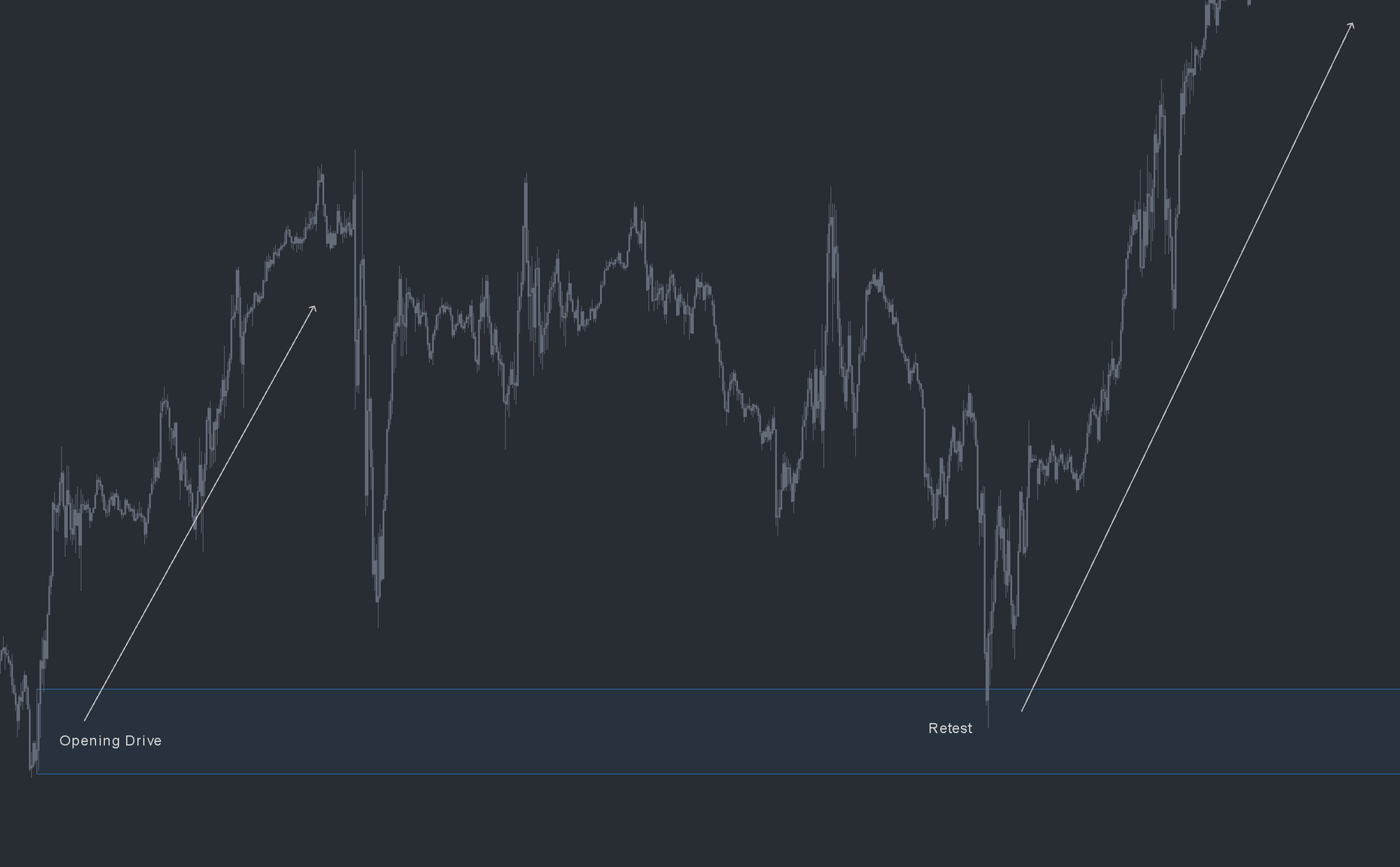
ODR Zones is an automated open-drive detection study built by OrderFlowLabs. An opening drive is an auction that, at the open, moves almost instantly in a single direction without returning to the opening price or testing the opposite side. In market profile language, this is a buy tail or sell tail and signals very confident initiative participants. The ODR Zones study identifies these events and auto-paints a zone where the activity originated, turning that area into a tracked reference for future sessions.
Who it's for
- Futures day traders who plan around opening auction behavior.
- Market profile and auction-theory traders looking to automate buy and sell tail detection.
- ES, NQ, CL, and GC traders.
- Order-flow traders who pair structural references with DOM and Time and Sales execution.
- Traders running the OFL package who want consistent open-drive references across instruments.
How ODR Zones works
Automatic open-drive detection
The study watches the cash open and identifies sessions that meet open-drive criteria: an immediate, one-direction auction with no return to the opening print. When the criteria are met, ODR Zones paints the zone where the activity began.
Bullish and bearish zones
Bullish ODR Zones are painted when the opening drive is to the upside; bearish ODR Zones when the drive is to the downside. Each zone persists as a reference for future sessions.
Reference areas, not entry triggers
ODR Zones are intentionally wide because they capture the full origin of the drive. They are meant to flag a zone of interest, not a precise buy or sell price. Trade decisions inside the zone come from monitoring the response with the OFL execution tools.
Setup and installation
ODR Zones is a study with specific chart-setting requirements. The chart should be a 24-hour session chart, and the session start time must be configured correctly for your time zone so the open is identified accurately. The setup video covers recommended start times for common time zones and walks through study placement.
Watch the ODR Zones Sierra Chart installation guide for chart settings, session times, and study configuration. A chartbook is included with the OFL package.
Note: Platform-specific videos for MotiveWave, NinjaTrader, and EdgeProX are provided in the Discord.
Example use case
ES gaps higher and drives straight up off the open without ever printing back to the opening price. ODR Zones flags this as a bullish open drive and paints the origin zone. Two days later, price rotates back into that zone during the regular session. Rather than fading the move blindly, you treat the zone as a likely support reference, monitor the response on the DOM and Time and Sales, and use an OFL execution tool to time a long if buyers re-engage. The same logic applies in reverse to a bearish ODR retest, where sellers are expected to defend the area as resistance.