
What is Whale?
Whale is a high-confluence signal engine built by OrderFlowLabs and available across every OFL-supported platform — Sierra Chart, MotiveWave, NinjaTrader, and EdgeProX. It alerts traders when multiple execution tools fire within a short time window. Instead of monitoring separate indicators independently, Whale consolidates them into one unified "super alert" that highlights moments of aligned bullish or bearish activity across OFL execution tools.
Who it's for
- Order-flow traders running multiple OFL execution tools (EAD, DeltaFlips, Dominator, Pinch) and wanting a single confluence alert.
- Discretionary traders who want to declutter their chart while keeping the underlying logic active.
- Traders who already think in terms of confluence and want it codified into one indicator.
- Strategy testers who want to define a confluence rule once and see it plotted consistently across symbols.
- Traders who want a higher-conviction alert without adding more screen real estate.
How Whale works
Subgraph aggregation
Whale monitors signals from up to four separate subgraphs (typically other OFL execution tools such as EAD, DeltaFlips, Dominator, or Pinch) and checks whether multiple of them are triggering within a defined number of bars of each other. You control how many signals are required, how far back Whale should look, and whether the alert stays persistent or resets.
Confluence rule
The core rule is simple: of the N configured subgraph inputs, how many need to fire within a rolling lookback window for Whale to trigger? Setting it to 2 of 4 with a 5-bar lookback, for example, plots a Whale marker whenever any two of your inputs fire within five bars of each other.
Anchor and signal direction
The Anchor input controls signal direction (e.g. High, Low) so Whale can plot a bullish marker, a bearish marker, or both, depending on which of the source subgraphs are firing.
Chart cleaner
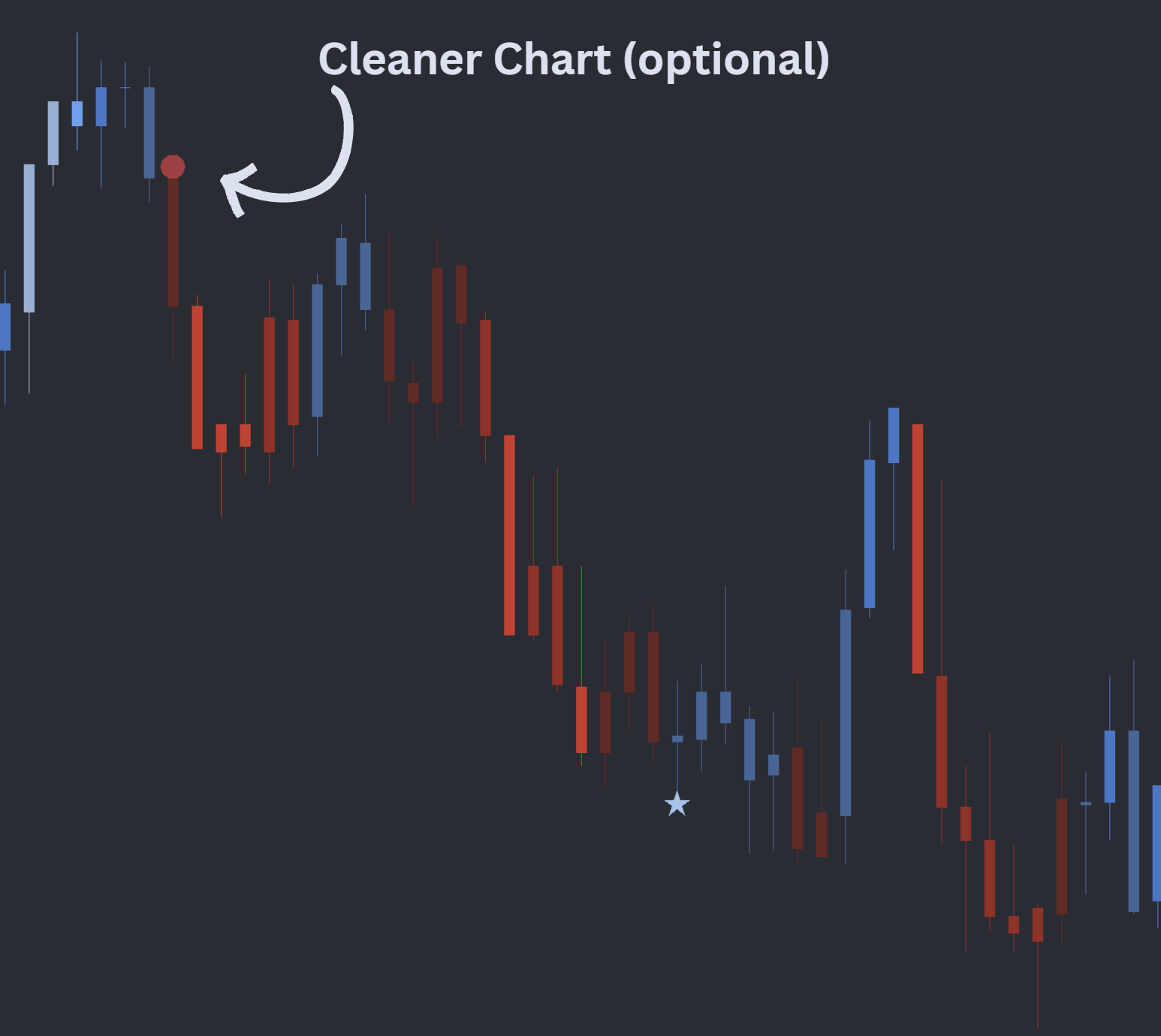
Because Whale sees the underlying signals via subgraph references, the source studies do not need to be visible on the chart. A common workflow is to keep the source studies present but hidden, and only render the Whale marker — leaving your chart clean and the alert firing only on multi-tool alignment.
Setup and installation
- Install the OFL package in a supported platform of your choice (Sierra Chart, MotiveWave, NinjaTrader, or EdgeProX).
- Add the source execution tools to your execution chart (visible or hidden).
- Apply the Whale study to the same chart and point each Whale subgraph input at the correct study/subgraph reference.
- Tune the Bar Lookback and signal-count threshold to match how strict you want the confluence rule to be.
Key inputs
| Input | Purpose | Example |
|---|---|---|
| Study Subgraph Inputs | Up to 4 source signals | ID1.SG1, ID2.SG1, ID3.SG1, ID4.SG1 |
| Bar Lookback | Window over which signals must align | 5 |
| Number of Signals Required | Minimum signals that must fire in the window | 2 of 4 |
| Anchor | Signal-type priority (e.g. High, Low) | High |
Watch the Whale Sierra Chart setup video for the full walkthrough. A configured chartbook is included with the OFL package.
Note: Platform-specific videos for MotiveWave, NinjaTrader, and EdgeProX are provided in the Discord.
Example use case
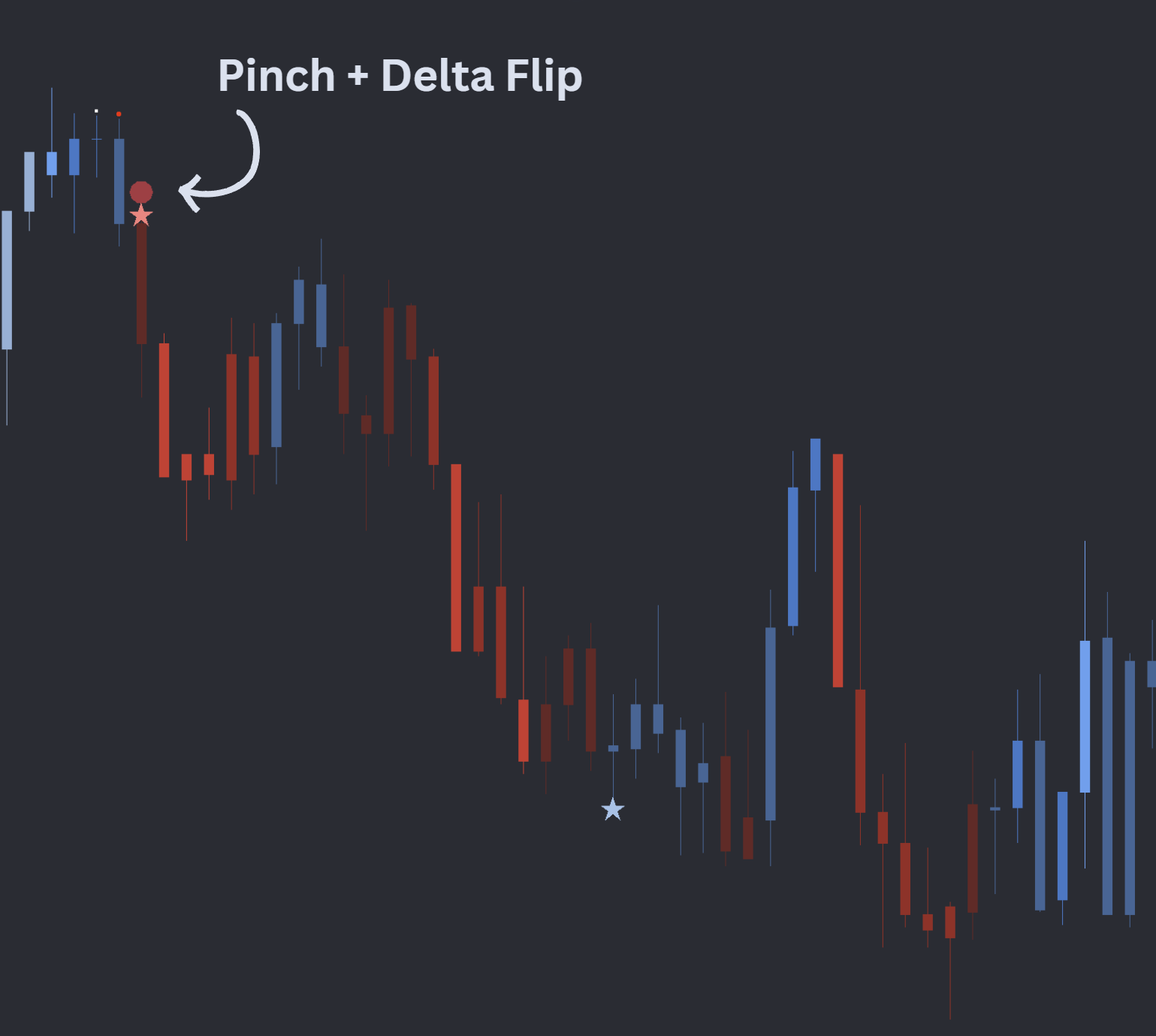
You have a favored confluence: a bearish Pinch firing close to a bearish DeltaFlip. Wire both into Whale, set the lookback to 3 bars and the threshold to 2 of 2, and Whale plots a transparent circle whenever the pair lines up — the visual signature of your edge. To declutter, you hide the underlying Pinch and DeltaFlips outputs entirely. The chart now shows only the Whale marker, and every print on it represents the exact two-tool alignment you trade. The same setup scales to four-input rules: e.g. fire Whale whenever any 2 of EAD, DeltaFlips, Dominator, and Pinch agree within 5 bars.