Problem 01
Prep is slow and inconsistent.
Levels ready before the bell.
Automated references and pre-built chartbooks remove repetitive chart work.

Order flow software & tools
Searching for the best order flow software usually turns into comparing stacks of order flow indicators. That's the wrong problem. OFL covers the whole trading workflow—pre-market prep, structural levels drawn automatically, real-time visual context at those levels, and post-trade review with Recap.

The problems OFL solves
You need the right context before the session, at the level, and after the trade.
Problem 01
Automated references and pre-built chartbooks remove repetitive chart work.
Problem 02
See aggression, absorption, and exhaustion where your trade idea matters.
Problem 03
Use prep, office hours, trade review sessions, and peers to keep improving the process.
The workflow
One subscription covers the whole loop—the order flow tools that prep the session and draw your levels, the order flow indicators that read the tape at those levels in real time, and the review layer most order flow software leaves out. All of it native code inside the platform you already run, on the data feed you already have.
Daily and weekly prep from the desk, plus pre-built chartbooks—the session starts with a plan and a configured workspace, not a blank chart.
AutoPlot paints balance areas and ranges, Job Pivots plots the session pivot with paired targets, MGI Daily lays down prior-session references, and VWAP Pro anchors your VWAPs—all before the open, no manual drawing.
Delta Map turns footprint data into one readable visual, Dominator prints a directional arrow the moment one side shows disproportionate strength, EAD flags exhaustion and absorption as a rotation loses its grip, and Liquidity Zones marks iceberg orders holding the book—live, at the levels you planned.
Recap (recap.trade) and live trade review sessions come with every subscription—journal the session, review it with the desk, and keep the process from drifting.
See the mechanism
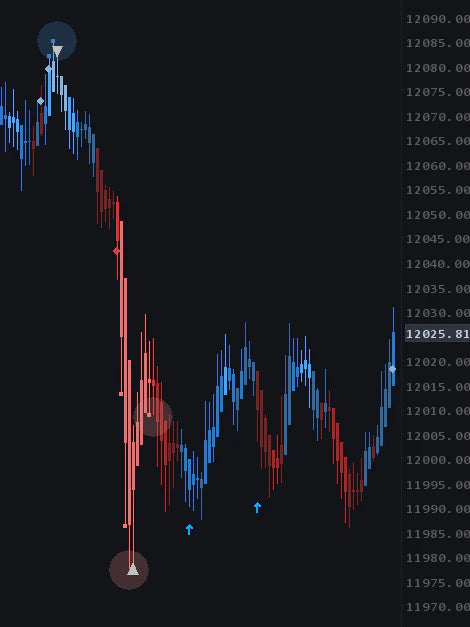
Volume delta · Delta Map
Delta Map surfaces buying and selling dominance, exhaustion, and absorption without asking you to decode a wall of numbers at full speed.
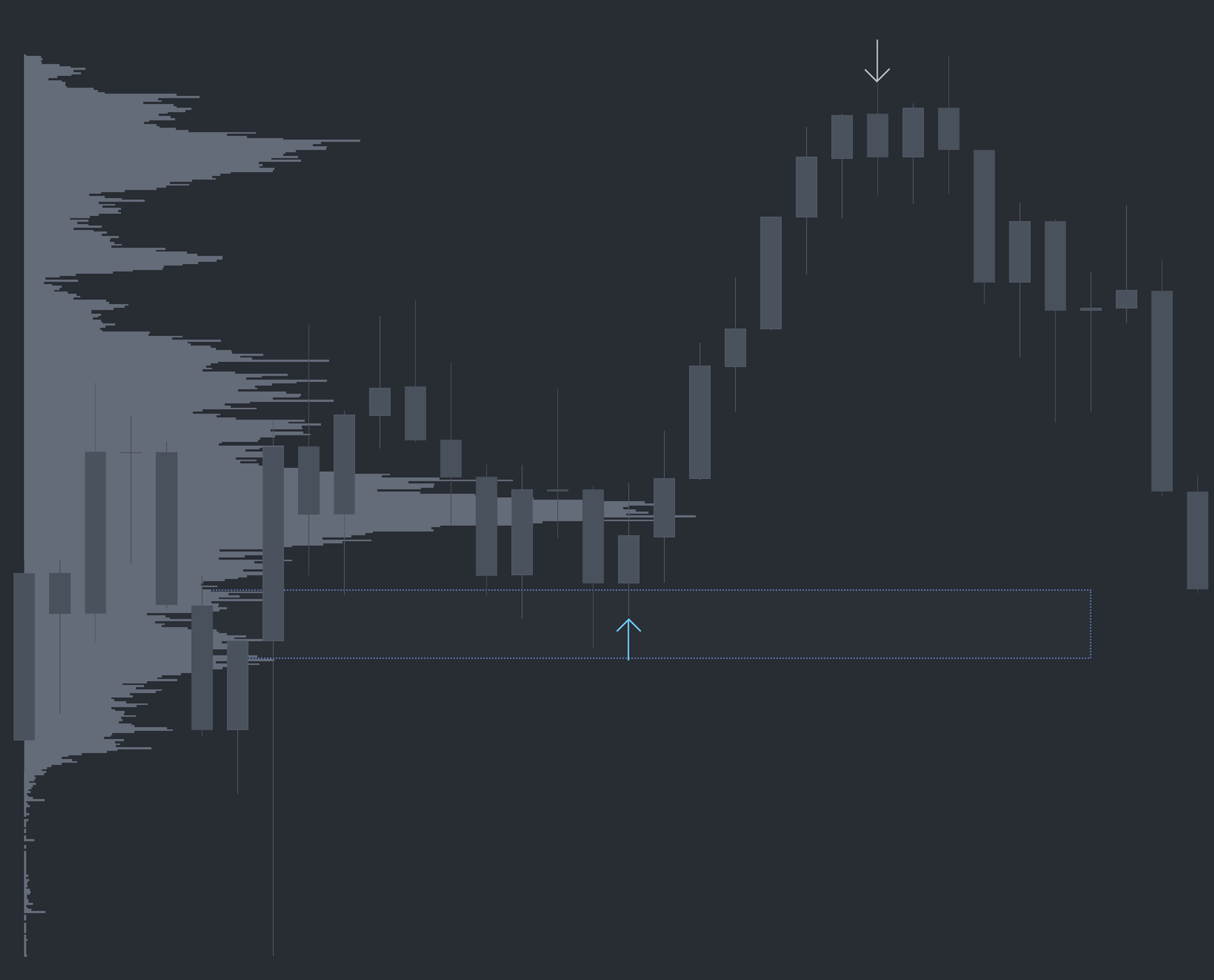
Aggression · Dominator
Dominator weighs the pace, size, and intensity of every trade and prints a directional arrow the moment one side shows disproportionate strength—calibrated to the time of day.

Absorption · EAD
The Exhaustion and Absorption Detector adds context at the level you planned. It is evidence to evaluate—not a signal or a promise of the next move.
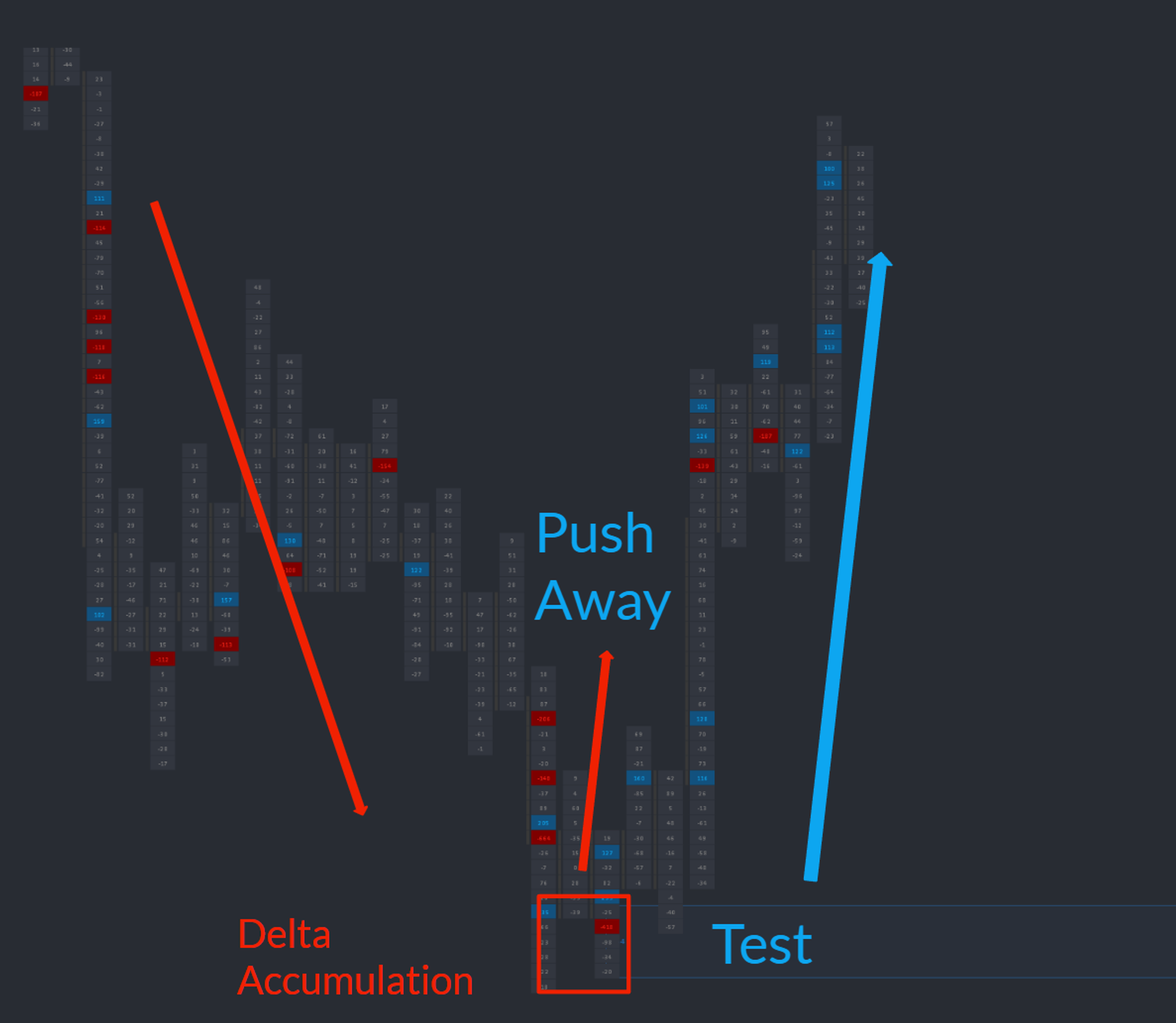
Iceberg orders · Liquidity Zones
Liquidity Zones detects icebergs and draws the zone on your chart in real time—a clean, repeatable area to plan retest and continuation trades around.
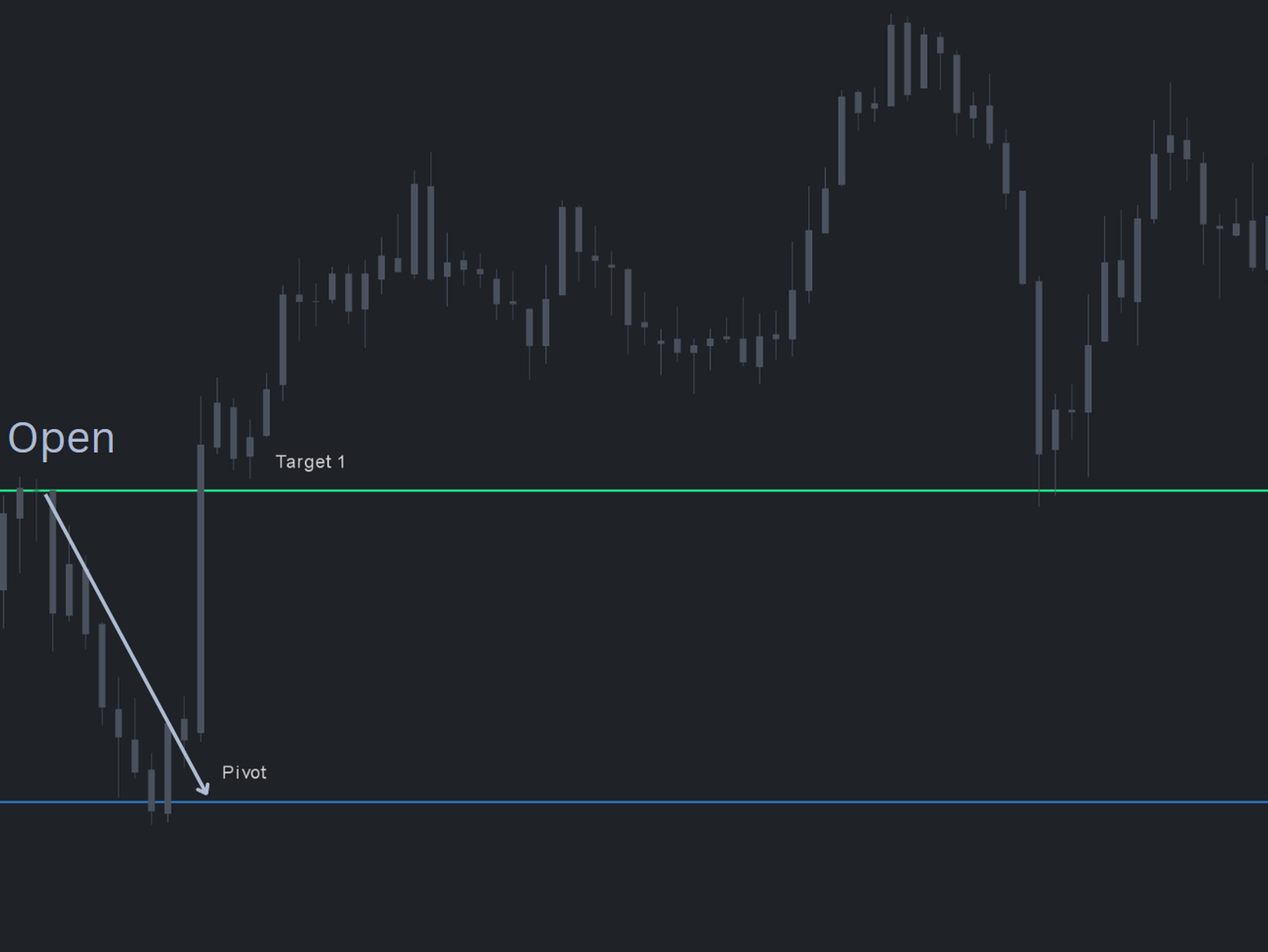
Pre-open levels · Job Pivots
A single structurally meaningful pivot with paired targets—tested 90–93% of the time in ES and NQ. Backtest data shared in the member Discord.
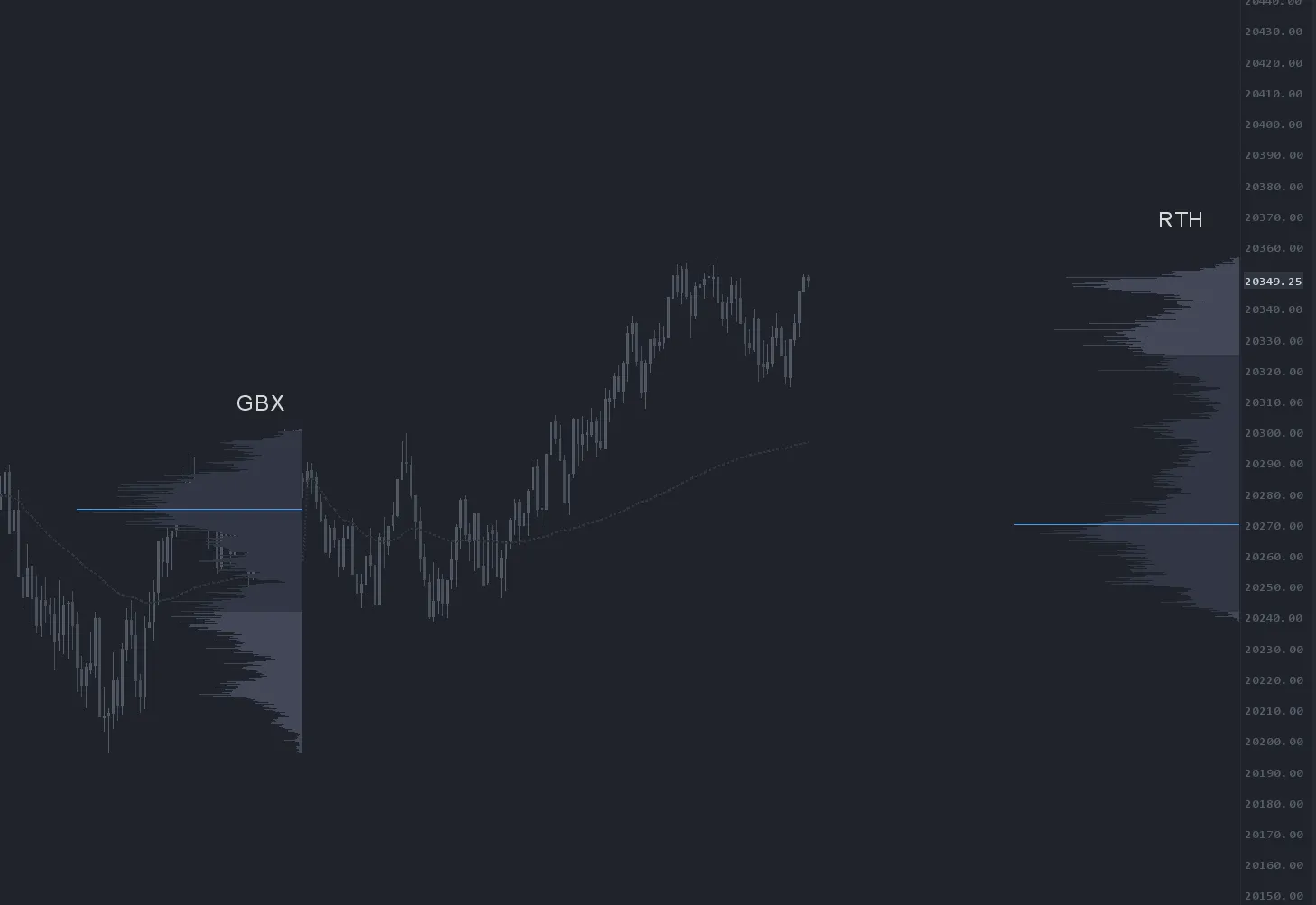
Volume profile · OFL VBP
OFL VBP plots traded volume at price with configurable profiles, delta mode, swing anchors, and VWAP overlays inside the platform you already run.
Disclaimer: Testimonials are not indicative of future performance or success.
~$99/mo for 3 months of the full Order Flow Suite.
Renews at $659/quarter — less than 35 NQ points. Cancel anytime before renewal from your account, in Discord, or by email. No retention call, no hoops.
One month, no commitment.
Renews at $249/month — less than 15 NQ points. Cancel anytime from your account, in Discord, or by email. No retention call, no hoops.
$199 buys one month. $299 buys three. Same suite either way.
Choose your platform edition.
Our commitment. We have a 4.9 Google Rating because we highly value customer satisfaction. If you're unhappy with our tools for any reason, please contact support to discuss.
Trading tools provide information and context, not guaranteed trading outcomes.
The offer
The full workflow above, for NinjaTrader 8, Sierra Chart, MotiveWave, or EdgeProX. Recap and trade review sessions included with every subscription.
The fine print, up front
Most order flow tools hand you another indicator—more data on an already busy chart. OFL covers the workflow around the trade: pre-market prep and levels drawn automatically, real-time visual context at those levels, and post-trade review with Recap. And it runs as native code inside the platform you already have, not as a second application.
NinjaTrader 8, Sierra Chart, MotiveWave, and EdgeProX. If your platform isn't one of those, the Order Flow Suite isn't a fit today.
No—20-month average member tenure, and every subscription includes Recap and live trade review sessions, which only exist with an active team behind them.
No. That's the specific thing OFL is built to avoid—it installs as native code inside the platform you already run, on the data feed you already have.
Stated plainly: it's desktop-only, it doesn't have a market-by-order heatmap, and it doesn't replace your trading platform—it's order flow indicators that run inside the platform you already have.
We have a 4.9 Google Rating because we highly value customer satisfaction. If you're unhappy with our tools for any reason, please contact support to discuss.
You can cancel anytime from your account, keep access through the end of your billing period, and the free tools stay free.